Crop an Image
Drag a frame over your image to choose exactly what to keep. Move it, resize it from any corner, lock it to a square or 16:9. One credit downloads the full-resolution crop.
Free to edit and preview · HD download with a free account
Drag a frame around what you want to keep — transparency preserved.
Cropping to the frame you actually want
Draw the crop, do not calculate it
Drag a frame over the image and everything outside it dims away, so you are choosing a composition rather than working out that you want 18 percent off the left. Grab any corner or edge to resize, or drag from the middle to slide the whole frame around without changing its size.
Live preview, nothing committed
The result pane re-renders as you drag, so you see the finished framing before you download anything. Nothing is written until you export, and Reset crop puts the frame back around the whole image whenever you want to start again.
Transparency preserved
Cropping keeps the alpha channel, so a transparent logo stays transparent after you trim it. The remaining pixels are copied exactly as they were, with no matte or background color painted in behind them.
Snapped to whole pixels
The frame reports its exact output size as you drag, and every edge snaps to a whole source pixel, so the number on the frame is the number you get — no half-pixel rounding at export. The crop runs on canvas in your browser, so it is instant and your file is never uploaded.
Crop vs resize
Crop removes pixels from the edges and never rescales the rest, so quality is untouched. Resize keeps all the content but changes its pixel dimensions. To hit an exact size, crop away what you do not want, then finish with the Resize tool.
How to crop an image
Upload your image
Drop in a PNG, JPG, WebP, or SVG, or click to browse for a file on your device.
Drag the crop frame
Pull any corner or edge to resize the frame, or drag from inside it to reposition. The live size readout and the result pane both update as you go. Them.
Preview and download
Compare the cropped result with the original, then download it at full resolution using one credit on a free account.
What the crop tool looks like
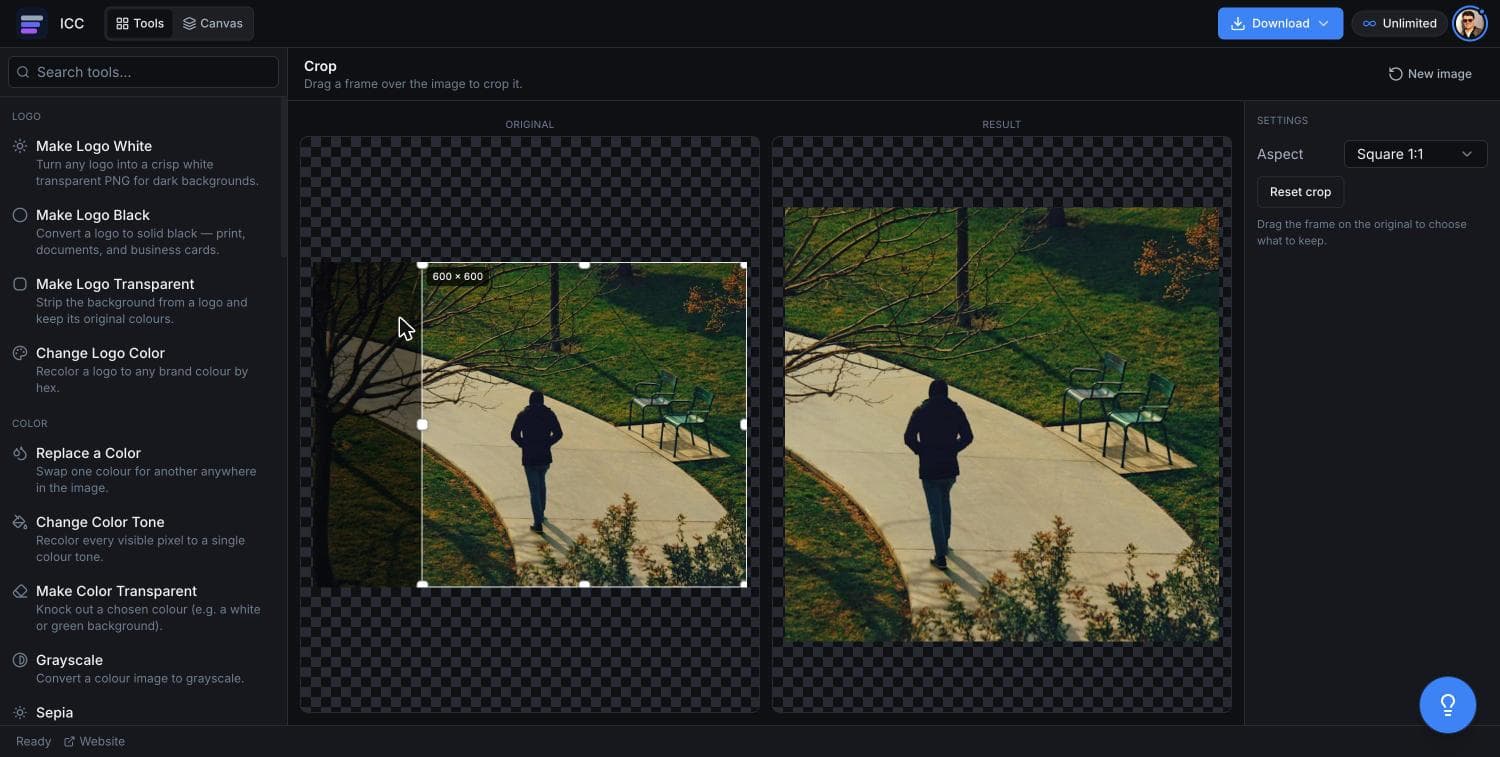
Where a precise crop matters
Remove borders
Cut away scanned edges, screenshot chrome, or empty margins around an asset.
Tighten portraits
Crop in on a subject for cleaner avatars and headshots.
Fix framing
Recompose a shot by trimming distracting or unbalanced edges.
Fit a layout
Trim an asset so it slots neatly into a slide, card, or grid.
Or just ask
Describe the edit in your own words
Type what you want changed and the assistant does it on the canvas — each step lands as a layer you can reopen, so nothing it does is baked in.
No edits yet.
Frequently Asked Questions
Related Tools
Guides worth reading
How to Fix Blurry or Fringed Edges on a Transparent PNG
Why your transparent PNG has a white halo, a grey fringe or soft edges — the four real causes, how to tell them apart in seconds, and the fix for each.
SVG vs PNG for Logos: Which File Do You Actually Need?
What SVG and PNG really are, where each one wins, why your developer keeps asking for the SVG, and the three files that cover almost every request.
What to DIY and What to Pay a Designer For
Where design money actually earns its return at pre-seed, where it doesn't, and the honest line between the work worth commissioning and the work worth doing yourself.
Crop your image now
Trim the edges and download in seconds.