Convert PNG to JPG
Turn a PNG into a much smaller JPG, with the quality level and the background colour under your control. Everything runs in your browser — the file is never uploaded.
Free to edit and preview · HD download with a free account
Drop a PNG
PNG, JPG, WebP or SVG — up to 20 MB
Runs entirely in your browser. Your image is never uploaded.
What changes when you convert
Dramatically smaller files
PNG is lossless, so it stores every pixel exactly and photographs end up enormous. JPG throws away detail the eye barely registers, and for a photograph that routinely means a file five to ten times smaller with no visible difference at a sensible quality setting.
Transparency has to go somewhere
JPG has no alpha channel at all. Any transparent area must be filled with a solid colour, and if a converter does not ask you which colour it will silently pick one — usually black, which looks broken on a light page. This tool makes it an explicit choice.
Quality is a real trade-off
The quality slider decides how aggressively detail is discarded. Around 90% is visually indistinguishable from the original for most photos. Below roughly 70% you start seeing blocky artefacts around edges and in flat areas of colour, especially in skies.
When to keep the PNG instead
Logos, screenshots, line art, and anything with sharp edges or large flat colour areas look worse as JPG — the compression smears text and creates halos around crisp lines. Convert photographs; keep graphics as PNG, or use WebP to get both.
Nothing is uploaded
The conversion runs locally on canvas in your browser. There is no upload step, no queue, and no copy of your image sitting on a server afterwards — which matters for client work and anything unpublished.
PNG, JPG, or WebP?
PNG
Lossless
- Keeps every pixel exactly
- Full transparency support
- Large files for photographs
Logos, screenshots, line art, anything with sharp edges
Photographs on a page where speed matters
JPG
Lossy
- Much smaller for photographs
- No transparency at all
- Quality loss is permanent
Photographs, email attachments, wide compatibility
Logos, text, or anything needing transparency
WebP
Lossy or lossless
- Smaller than both in most cases
- Supports transparency
- Unsupported in some older software
Modern websites where you want size and transparency
Handing files to someone on legacy software
How to convert PNG to JPG
Upload your PNG
Drop the file in. It is read locally in your browser and never sent anywhere.
Pick a background
JPG cannot store transparency, so choose the colour that fills any transparent areas. White suits most pages.
Set the quality
Start at 92%. Drop it further only if you need a smaller file and can accept some softening.
Download the JPG
Save the converted file at full resolution.
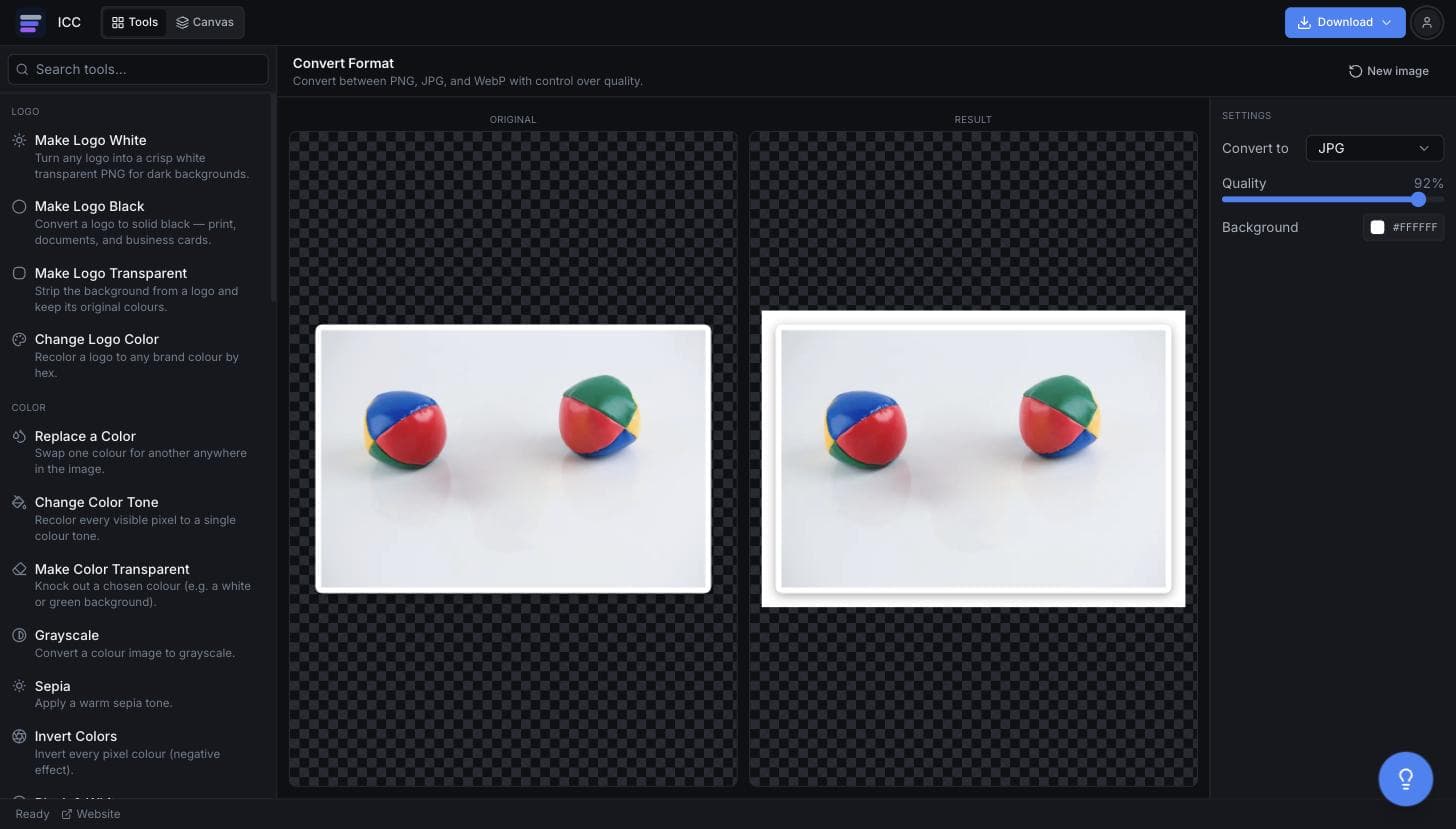
What the PNG to JPG converter looks like
When PNG to JPG is the right call
Faster web pages
Photographs served as PNG are a common and costly page-speed mistake.
Email attachments
Get a large photo comfortably under a mailbox size limit.
Upload restrictions
Plenty of forms and portals accept JPG only.
Print submissions
Some print workflows expect JPG rather than PNG.
Documents and decks
Stop a PDF or presentation ballooning because of lossless photos.
Or just ask
Describe the edit in your own words
Type what you want changed and the assistant does it on the canvas — each step lands as a layer you can reopen, so nothing it does is baked in.
No edits yet.
Frequently Asked Questions
Related Tools
Guides worth reading
How to Fix Blurry or Fringed Edges on a Transparent PNG
Why your transparent PNG has a white halo, a grey fringe or soft edges — the four real causes, how to tell them apart in seconds, and the fix for each.
SVG vs PNG for Logos: Which File Do You Actually Need?
What SVG and PNG really are, where each one wins, why your developer keeps asking for the SVG, and the three files that cover almost every request.
Best Free Background Remover in 2026: 5 Tools Compared Honestly
remove.bg, Canva, Adobe Express, Photopea and Image Color Changer compared on what is actually free, output quality, privacy and price per image — including which one to use for logos.
Convert your PNG to JPG
Choose the quality and background, then download.