Erase Unwanted Objects from Your Photos
Paint over anything you want removed and watch it disappear. Our AI intelligently fills in the background, making it look like the object was never there.
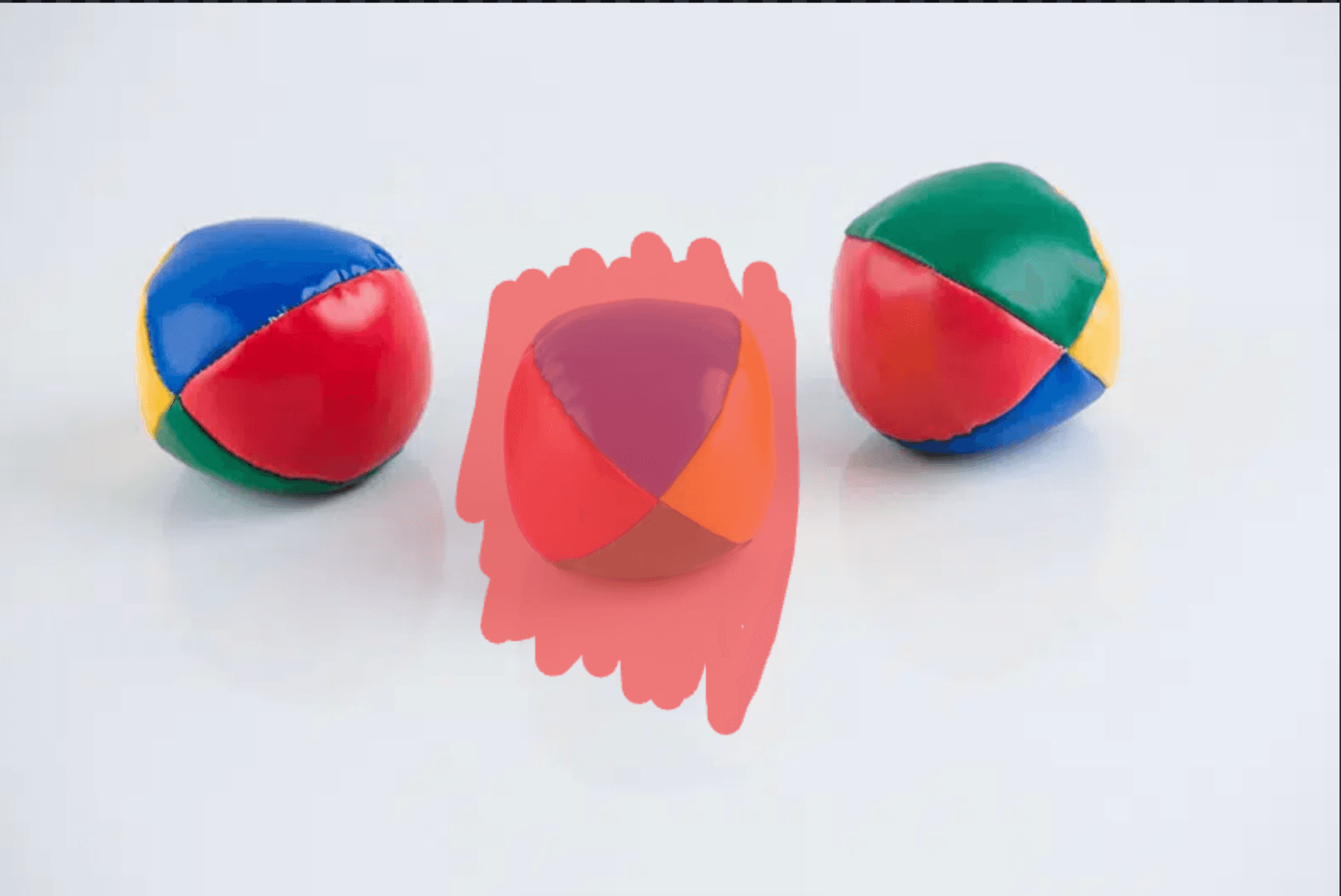
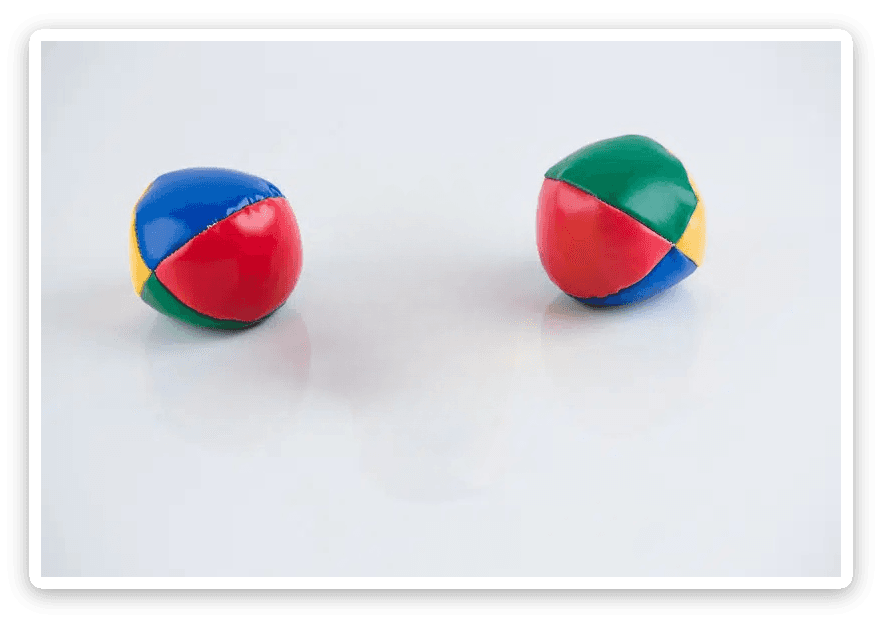
Paint over any object — AI fills the background as if it was never there.
Erase Anything You Don't Want
Paint over it — AI fills the gap
Brush over any unwanted element and the AI reconstructs the background behind it. The fill is sampled from surrounding pixels, so the result matches the texture and lighting of what was already there.
Works best on simple backgrounds
A person in front of a plain wall, text on a solid gradient, power lines against clear sky — these fill cleanly because the surrounding pattern is consistent. Complex scenes with overlapping objects are harder to reconstruct perfectly.
Bigger brush, better result
Tracing tight around the edge is usually wrong. A brush slightly larger than the object gives the AI more background context to work from. For large subjects, several medium passes tend to beat one giant stroke.
Entirely in-browser, full quality
No upload to an external server. The edit runs locally and exports at your original resolution — so a quick cleanup never means opening Photoshop or waiting for a file to process.
Object Removal Tips
Go bigger with the brush
Tracing tight around the object is usually wrong — the fill needs surrounding context. A brush slightly larger than the object gives the AI more background to reconstruct from.
Simple textures fill most cleanly
Grass, plain walls, concrete, clear skies — these reconstruct well because the pattern is repetitive. Complex scenes with multiple overlapping subjects are harder.
Several passes beat one large stroke
For a large object, several medium-sized passes often produce a cleaner result than one giant selection, which can create blocky or unnatural fills.
Text and watermarks over simple backgrounds
Watermarks and text on solid or gradient backgrounds are the most reliable use case. Removing an object from a complex scene may need manual cleanup.
How to Remove Objects from a Photo
Upload your image
Load a PNG, JPG, or WebP onto the canvas.
Open Object Removal
Choose the Object Removal tool from the toolbar.
Paint the object
Brush over what you want gone and adjust the brush size for precision.
Download
Export the cleaned-up image in full quality.
What You Can Clean Up
Photobombers
Remove people who wandered into the shot.
Watermarks & Logos
Clear stamps and marks from images you own.
Distractions
Delete signs, wires, and clutter for a clean frame.
Product Shots
Tidy up backgrounds and stray props for store photos.
Works Seamlessly Inside Framer
No more switching between apps. Edit colors, remove backgrounds, and insert directly onto your Framer canvas — all without leaving your design flow.
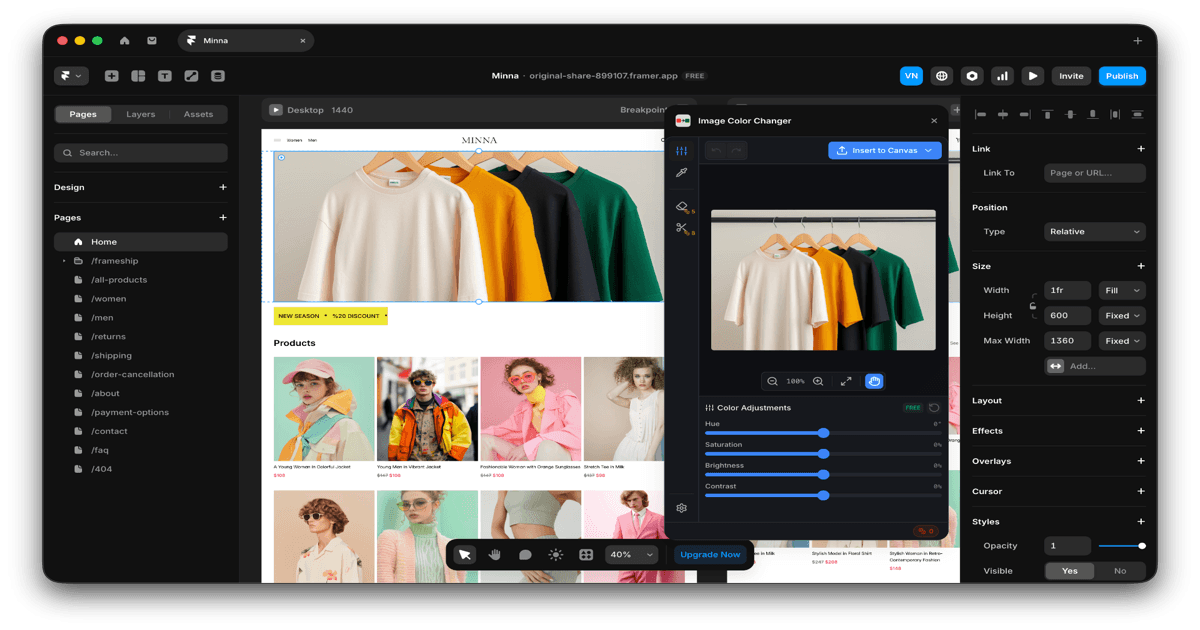
Native Plugin
Works directly inside Framer — no need to leave your design environment.
One-Click Insert
Edit your image and insert it straight onto your canvas instantly.
Real-Time Preview
See color changes live as you work on your Framer projects.
Loved by Designers Everywhere
Join thousands of designers who save hours every week with ICC Images.
“This plugin has completely changed my workflow. I used to spend 30 minutes in Photoshop just to change product colors — now it takes seconds.”
Sarah Chen
Freelance Web Designer
“The background removal is shockingly good. I've tried so many tools and this one actually handles hair and complex edges properly.”
Marcus Johnson
E-commerce Designer
“Finally a color tool that works directly in Framer. No more exporting, editing, re-importing. Just click and done.”
Elena Petrova
Product Designer at Startup
“I use this daily for client mockups. Being able to show the same product in 10 different colors in minutes is a game-changer.”
James Wright
Brand Designer
“The eyedropper tool is incredibly precise. I can match brand colors perfectly every single time.”
Aisha Patel
UI/UX Designer
“Worth every credit. The time I save pays for itself on the first project of the month.”
Tom Mueller
Agency Creative Director
ICC Images Pricing
Start free with 5 credits. Upgrade only when you need more. Cancel anytime.
No subscription, no auto-renewal, no commitment
All plans include a 14-day money-back guarantee. No questions asked.
Frequently Asked Questions
Common questions about our object removal tool
Ready to Clean Up Your Photos?
Join 8,000+ designers who use Image Color Changer for intelligent object removal. Start free with 5 credits.